Posts

Showing posts with the label employee activity monitoring software

Screen Time vs. Output: What Productivity Monitoring Gets Wrong

Image
  Screen Time vs. Output: What Productivity Monitoring Gets Wrong INTRODUCTION Every monitoring debate eventually becomes the same argument: should we measure activity or results? The screen-time camp points out that activity is objective, visible and easy to compare. The output camp points out that staring at a screen is not the same as doing good work. Both sides are half right - and that is the problem. The companies that get productivity monitoring right do not pick a side. They use activity data and output data for different jobs, and they design each one so it cannot be misused. Why Screen Time Is So Attractive Activity metrics are easy to collect, easy to understand and easy to compare across a team. "Everyone averages seven hours of active screen time" is a sentence anyone can grasp. That simplicity is why activity tracking became the default for remote teams. The danger is not the metric itself. It is what managers do with it: treating a proxy for work as if it were ...
How to prevent Employee from browsing irrelevant website?

Image
The Computer Science and Technology development improves the work efficiency and speed of enterprises, but at the same time, it inevitably brings security risks. The network is a double-edged sword. If the enterprise use it well, it will bring benefits, but improper will make it worse. With the continuous strengthening of competition among enterprises, network security management has been highly valued. In order to improve enterprise production efficiency, reduce unnecessary waste of resources, and help entrepreneurs cultivate a good corporate culture, numerous computer monitoring software has also emerged. However, there are not many software that can view multiple Live-desktops at the same time and have remote control features. iMonitorSoft employee monitoring software is a very cost-effective tool. It is widely accepted by users due to its easy operation and high credibility. The purpose of deploying employee activity monitoring software is to regulate employees’ online behavior, ...

HOW TO PROHIBIT EMPLOYEES FROM PLAYING GAMES IN OFFICE?

Image
How to prohibit employees from playing games in office? Can I use employee activity monitoring software ? At present, enterprises are facing many problems of online management of employees. Online games and other game software are very common. companies or departments sometimes need to ban employees due to management needs. Play games and visit gaming websites. So how to monitor employee computer activity and prohibit online game software? To monitor and manage employees' online behavior, this method is very simple to implement. Installing and deploying pc monitoring software is the simplest, direct, scientific, and efficient solution. Of course, deploying an efficient, intelligent and popular computer monitoring software on company computers is also a necessary solution for every company to protect data assets. So, how to ban online game software with iMonitor EAM? The implementation method is as follows: Step 1: Go to www.imonitorsoft.com and downloads iMonitor EAM installatio...

What software do modern enterprises use to manage employees?

Image
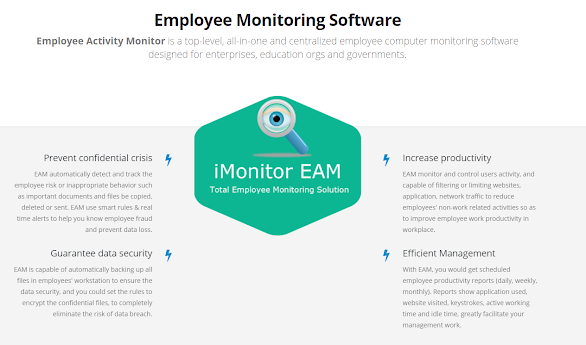
  How to improving work efficiency? With the development of the Internet, more and more company jobs tend to be in the computer, and the way of developing modern enterprise management in the Internet information age is not limited to the traditional oral preaching, how to effectively prevent the leakage of online behavior management and information security, and improve the efficiency of employees' work. To solve this problem, iMonitorsoft launched an  employee activity monitoring software -iMonitor EAM. What is iMonitor EAM? iMonitor EAM is a  user activity monitoring software  that monitors computer operations and Internet behaviors of employees in a stealth mode. After installation, employees’ computers can be monitored in real time to understand their working status.  Main functions Computer Activity Computer logs mainly include: Screen-shots,  Keylogger , Application usage, Alerts, keyword records, Internet Records, Chat records, File records, and so o...